
Album Cover Generator
Give your song a cover people can recognize on a phone.
Try the playlist-size test
Hear the songPause0:12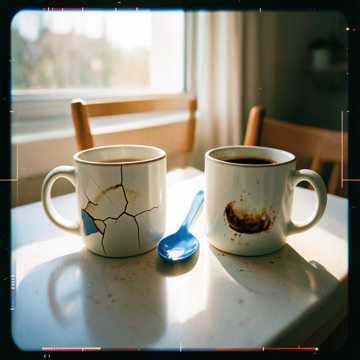 Two Cups on the CounterCoffee
The released cover. The two mugs stand out at playlist size. Look closer to find the crack in the cup.
A cream cover with burgundy lettering, made from the same photo. Can you still read “Two Cups” at playlist size?
Start with a finished Suno song in your library.
Create My Cover ArtWhat catches your eye first?
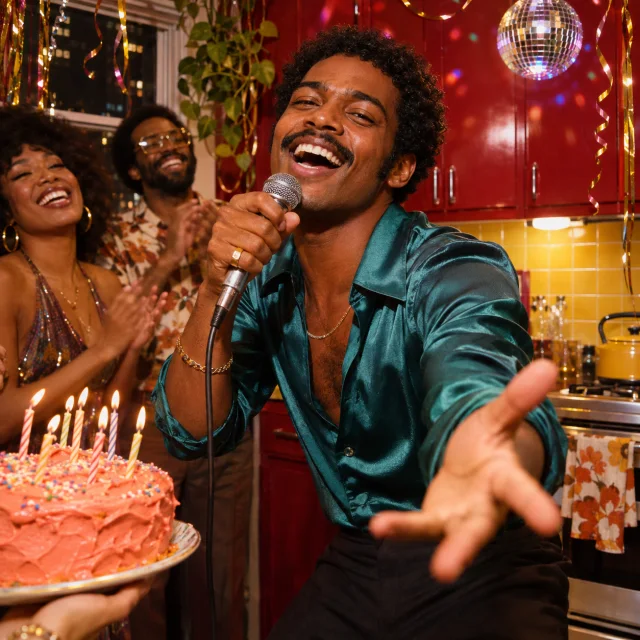
For The Kitchen Floor Is Yours, we cropped a disco-soul house party down to one guest’s smile. On Wherever You Are, the singer and his acoustic guitar share the frame. Open either cover to hear the song.

How do I generate cover art for my song?
In your library, open the three-dot menu on a finished Suno song. Choose Manage → Generate cover art. The studio uses that song as its starting point.
What if my library is empty?
Create your first song, then return to the library when it finishes. The cover tool appears in the menu on eligible tracks.
How can I tell if my cover will work on a phone?
Choose a sleeve above and look at the 48-pixel tile first. Try Grayscale. If the subject gets lost, use a closer crop or more contrast between it and the background. Let fine details reward a closer look.
Where can I see the released artwork for Two Cups on the Counter?
See the original acoustic release and the synth-pop edition. Both feature two mugs in window light. Compare the open kitchen in the original with the beam of light on the darker table in the other edition. The lettering study above is a separate layout made for this preview.